All Logix 5000 PLCs have three operating modes.
Those modes are Run, Program, and Remote. Remote mode is unique because it is divided into three additional submodes - Remote Run, Remote Program, and Remote Test.
In this post, I will explain how to select the operating mode of a Logix 5000 PLC, the difference between each operating mode, and why you might select one operating mode over another. This is important information because the operating mode of a Logix 5000 PLC determines how the project is executed and how outputs are controlled. Selecting the wrong operating mode can stop production or potentially create dangerous situations.
Let’s get started by talking about how you can select the operating mode of a Logix 5000 PLC.
Physical Mode Selection
All Logix 5000 PLCs have a built-in way to select the operating mode of the PLC physically.
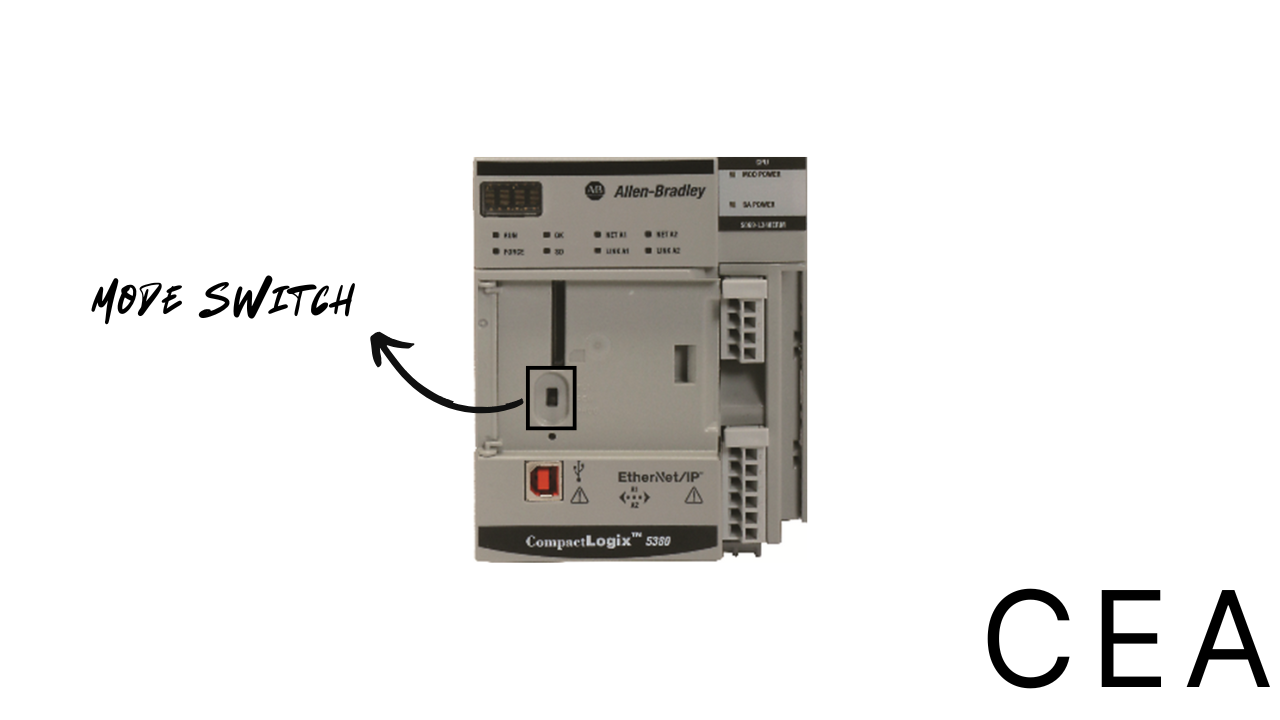
For CompactLogix 5370 and 5380 PLCs, you select the operating mode using a three-position switch located behind a door on the front of the controller.
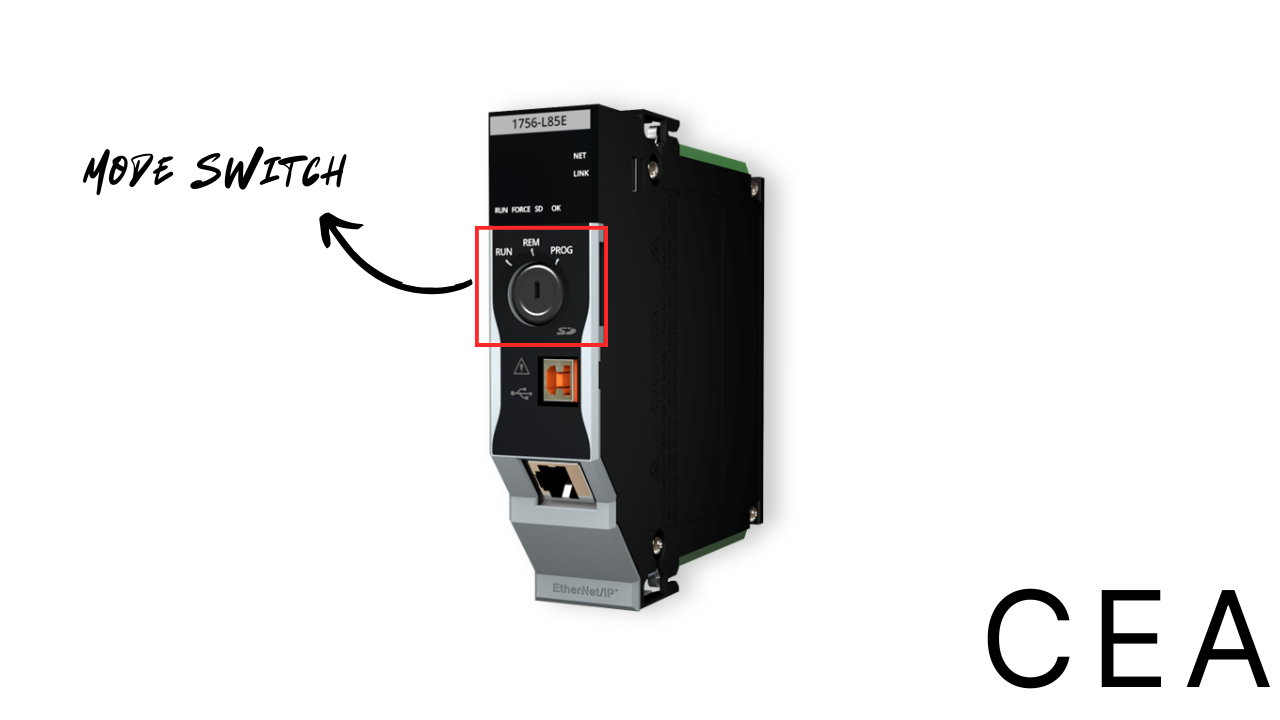
For ControlLogix 5570 and 5580 PLCs, you select the operating mode using a three-position keyswitch on the front of the controller.
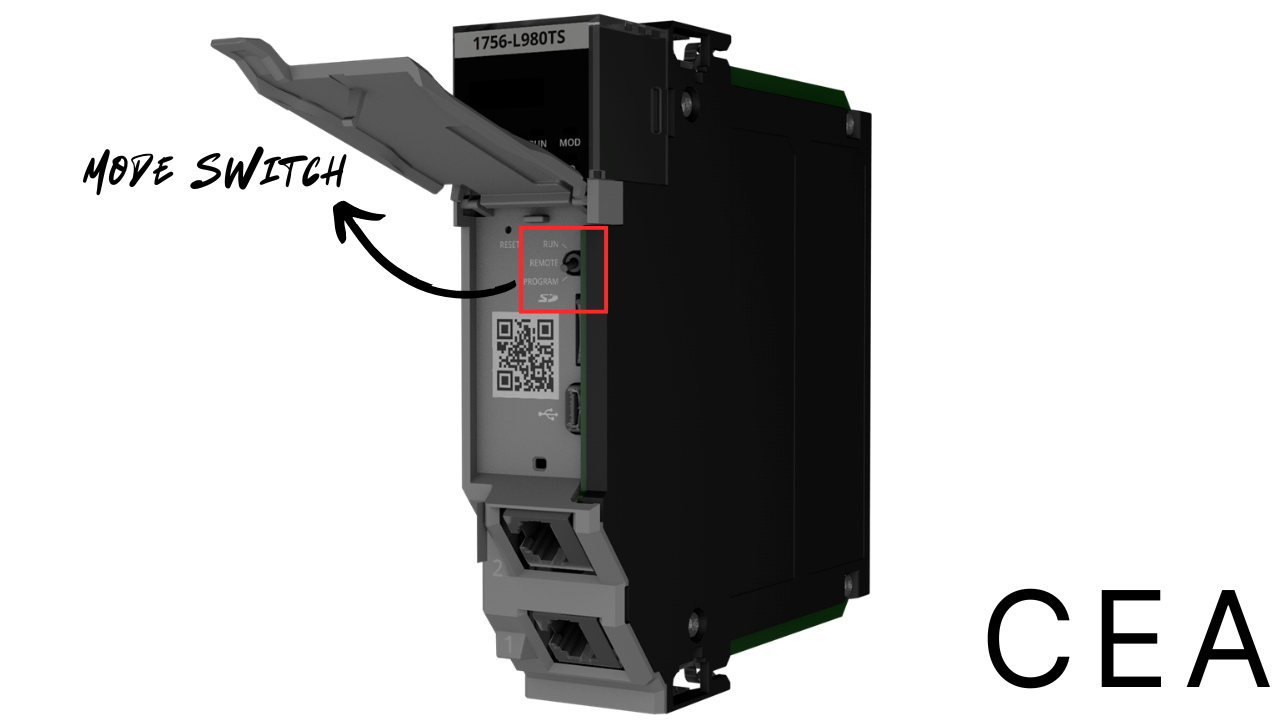
Finally, for ControlLogix 5590 PLCs, you select the operating mode using a three-position switch located behind a door on the controller.
Using these hardware switches, you can set a controller to operate in Run, Remote, or Program modes.
Let’s talk about the behavior of a controller when each of these modes is selected.
Run Mode
When the controller is in Run mode, it actively executes the project that is loaded to it and controls a process or machine.
When the PLC is in Run mode, you cannot make changes to the project. This means that you can’t download a project to the PLC or use online edits to make changes to the logic running on the PLC.
Many people recommend leaving a PLC in Run mode once it is commissioned, since the PLC cannot be tampered with accidentally or maliciously while in Run mode.
Program Mode
When the controller is in Program mode, it does not execute the project that is loaded to it or control I/O. The controller can still produce and consume tags and exchange data with other controllers in response to messages while in Program mode.
When the PLC is in program mode, you can download a project to the controller and change the logic using online edits.
Program mode is basically a safe mode to download a project to the PLC.
Remote Mode
When the controller is in Remote mode, you can select a sub-operating mode from Studio 5000 Logix Designer. This is the only mode where the operating mode can be changed through Studio 5000 Logix Designer.
Using Studio 5000 Logix Designer, you can put the PLC into one of the follow sub-operating modes:
- Remote Run Mode
- Remote Program Mode
- Remote Test Mode
Let’s look at how the PLC behaves when these sub-operating modes are active.
Remote Run Mode
Remote Run mode is identical to Run mode with two key differences:
- You can modify the project’s logic using online edits, and
- You can change the operating mode using Studio 5000 Logix Designer
Note that if you download a project while the controller is in Remote Run mode, the controller’s mode is switched to Remote Program while the project is downloaded.
Most people leave PLCs in Remote Run mode because it allows maintenance teams to edit logic and resolve issues without stopping the PLC.
Remote Program Mode
Remote Program mode is identical to Program mode, except you can change the controller mode through Studio 5000 Logix Designer.
Remote Program mode is generally only used when downloading a project to a Logix 5000 controller.
Remote Test Mode
When the controller is in Remote Test mode, it executes the project that is downloaded to it, but doesn’t control its outputs. Although the controller doesn’t control its outputs, it can still produce and consume tags and exchange messages with other controllers.
This mode is used to test logic without creating a potentially dangerous situation by turning outputs on and off.
Wrap Up
In this post, you learned how you can select the operating mode of a Logix 5000 PLC and the behavior of the controller when each operating mode is selected.
This is something that is often overlooked by controls engineers - I’ve met a lot of engineers who really should have been using Remote Test mode but didn’t know that it existed.
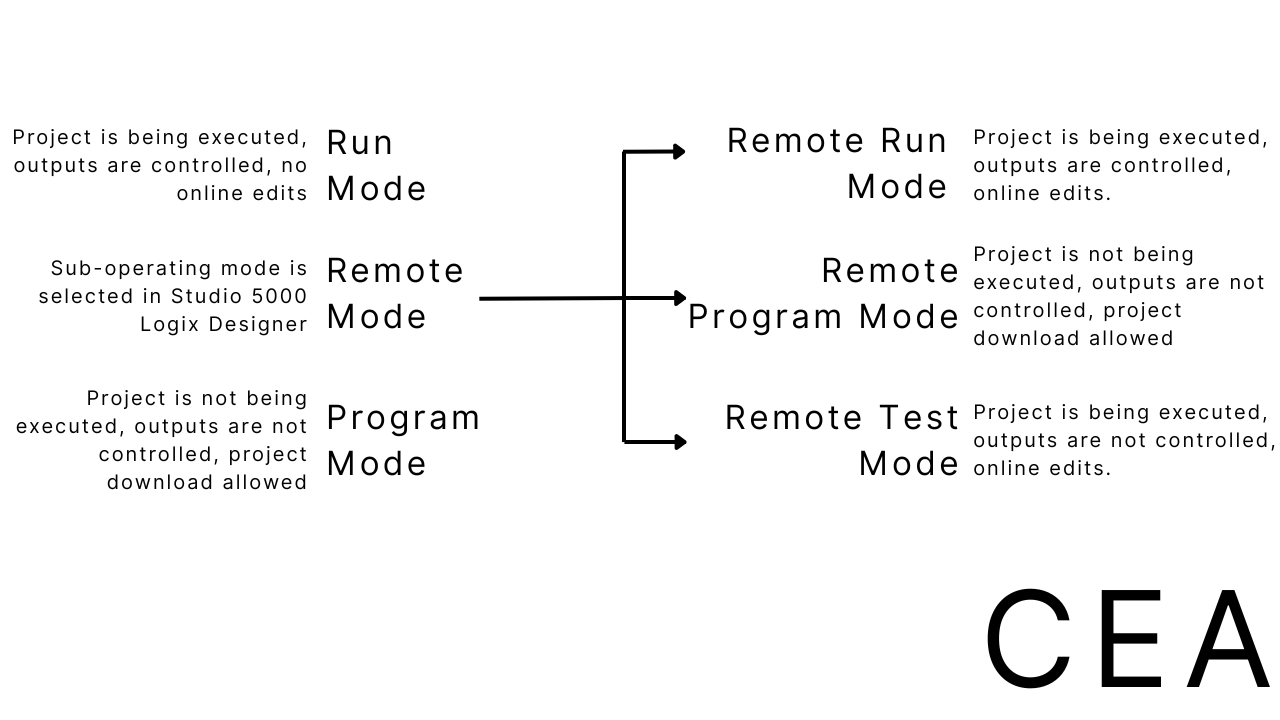
As an easy reference, I have summarized the information in this post in the image below.
If you want to learn more about downloading projects to Logix 5000 controllers, selecting operating modes, and testing logic in Remote Run mode, check out our course AB-S5K-PLC-110, which covers all of these topics and uses a simulator to let you get hands-on experience with following the steps.
Members get access to this and all of our other courses, use the link below to sign up for a 30-day free trial of a Controls Engineering Academy membership.
Learn PLC Programming in your browser
Learn PLC programming by building projects in your browser - no hardware or software required.
Then €29.97/month · Cancel any time